QR code videos
How to add videos to a printed photo book with QR codes
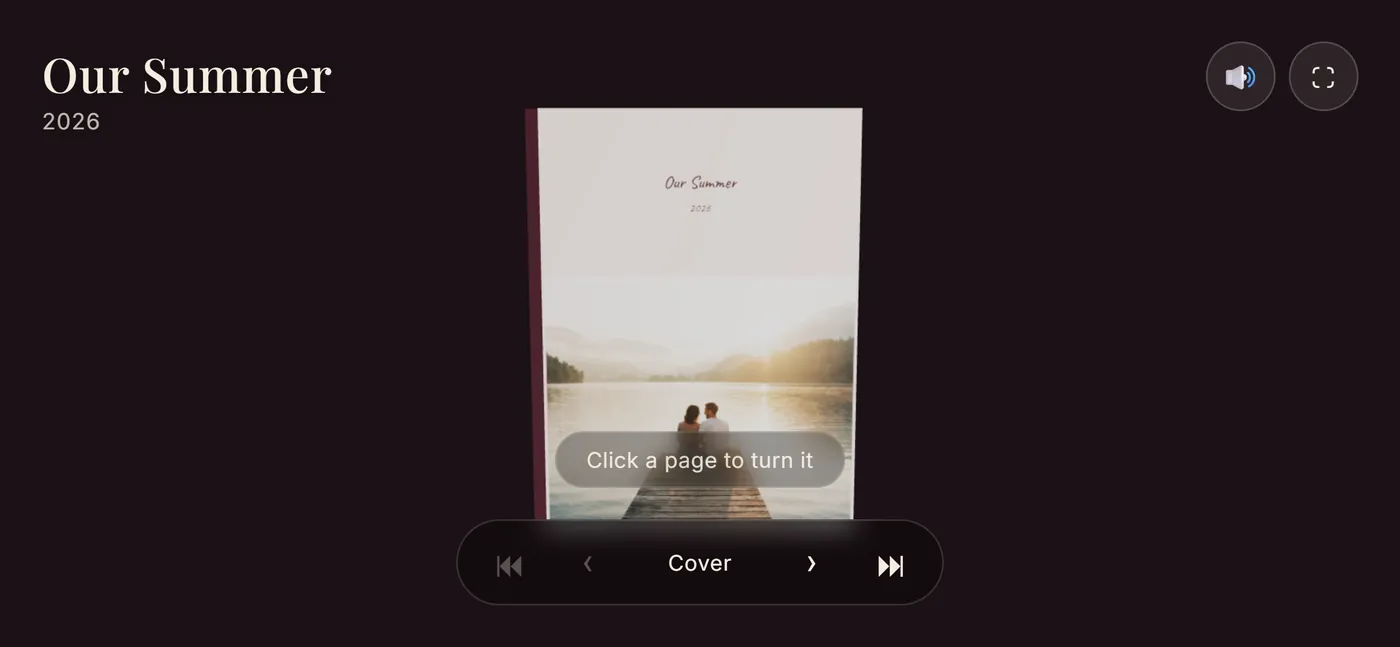
Paper cannot play a video, but a QR code can open one. Leafthrough puts QR codes on the cover and on the video pages of a booklet you print at home, and each one opens the live book, where the videos play in their place on the page.
Free to make. No account needed to start.
How the QR codes work
- On the cover. A QR code on the cover of the printed booklet opens the live book on screen, videos and all.
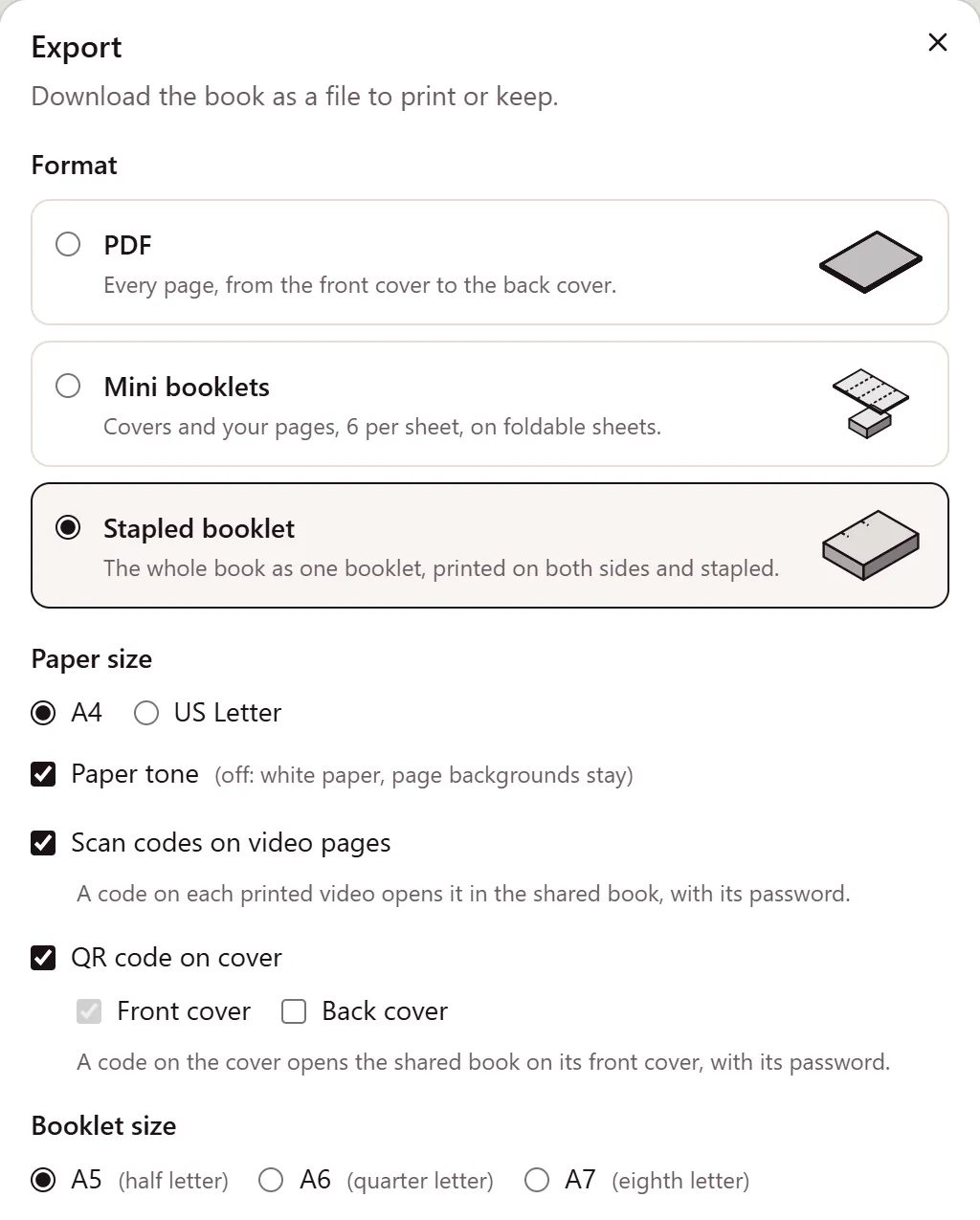
- On video pages, if you like. Pages with a video can carry a code of their own, so the reader knows there is more to see right where it is.
- Any phone camera. The code opens the book in the phone's browser. The reader needs no app and no account.
- The whole book, not one clip. Each video plays next to the photos it belongs with, and the reader can keep turning the pages from there.
- An unlocked book. QR codes are part of unlocking a book. A free book can be printed, but without the codes.
Step by step
- Start the book. You can begin without an account and add up to 10 photos while you try layouts.
- Save it to an account with Google or a sign-in link sent to your email. Now you can add videos of up to 500 MB each; Leafthrough converts them so they play in every current browser.
- Lay out the pages. Put each video in a slot next to its photos, pick a layout for every page and choose which videos play with sound.
- Unlock the book. One payment, and you choose the amount: from $5, with $8 suggested, plus VAT or sales tax where it applies.
- Export it for print as a stapled booklet in A5, A6 or A7 on A4 or US Letter paper, with a QR code on the cover and, if you like, on the video pages.
- Print, fold and staple it on an ordinary home printer. The smaller sizes come with cut and fold guides.
- Scan the codes yourself before you give it away, to see the book open on your own phone first.
Tips for codes that scan well
- Print at your printer's normal or best quality, not in draft mode, so the code's edges stay sharp.
- Matte paper reflects less light than glossy paper, which helps a phone camera in a bright room.
- Keep the paper flat where the code is. A fold or a staple through the code makes it harder to read.
- Try it with more than one phone if you can.
Keep the book online
The printed codes lead to the book online, so keep the book for as long as the paper copy is around. Deleting a book deletes its share link and its print codes too, and the paper copy then has nothing to open.
Compared with QR codes in other photo books
In many printed photo books, each QR code opens a single clip hosted somewhere online, and the video plays away from the page it belongs to. In a Leafthrough book, the code opens the whole book, where the video plays on its page next to the photos from the same day, and the scene around the book changes with the story.
Make yours
It is free to make, and you can start without an account. More about how videos work on the page, the flipbook maker, or gift ideas by occasion.