Flipbook maker
A flipbook maker for your photos and videos
Leafthrough makes a flipbook from your photos: pages that turn like paper in any browser, a video on any page, and one link to send it. It is free to make, and you can start right now without an account.
Free to make. No account needed to start.
What your flipbook can do
- Pages that turn. Readers turn the pages of the book in any browser, on a phone or a computer, with nothing to install.
- A layout for every page. Pick one for each page, then frame every photo until it sits right.
- Videos on the page. Any slot that takes a photo takes a video. It plays by itself when its page opens, quietly, on a loop, and you choose which videos have sound.
- Scenes around the book. Give each part of the book its own scene: golden hour, rain, snow, fairy lights or a night sky. Turn the page into it and the room around the book changes too.
- One link. Send the whole book in a message. Readers need no account, and a password of 4 to 128 characters can keep it private.
- A copy on paper. Print it at home as a PDF, mini booklets or a stapled booklet.
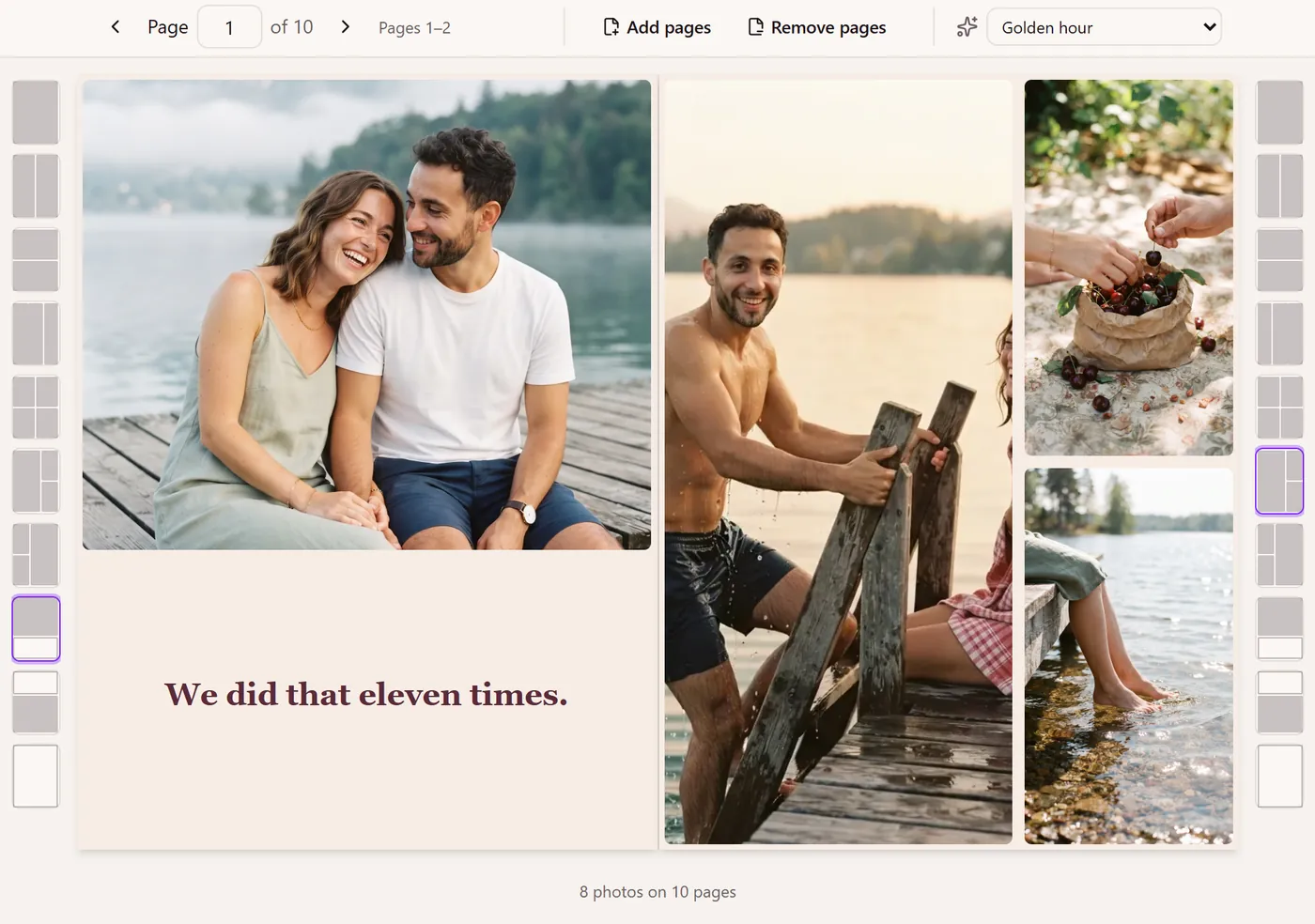
Made for photos, not for PDFs
Most flipbook makers start from a PDF, such as a magazine, a catalog or a brochure, and make its pages flip on screen. Leafthrough starts from your photos and videos instead: you lay out each page yourself, and videos play in their place on the page. If what you have is a finished PDF, a PDF flipbook maker is the better tool for it.
Not the kind you flip with your thumb
A flipbook can also mean a small pad of pictures that you flick through with your thumb to make one moving picture. Leafthrough does not make those. It makes a book of photos whose pages you turn one at a time, with videos playing on the pages that have them.
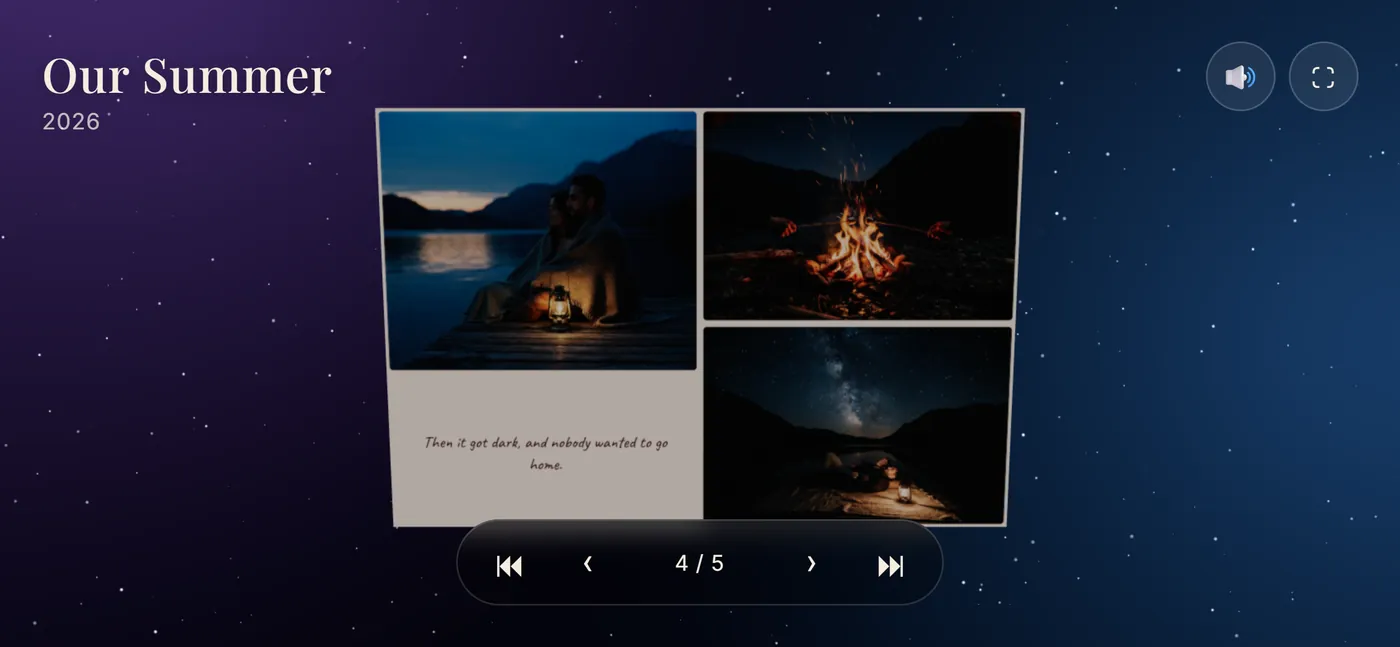
How to make a flipbook from photos
- Start without an account. Add up to 10 photos and try layouts first. A book you never save stays in that browser and is deleted after 30 days.
- Save it to an account with Google or a sign-in link sent to your email, to add more photos and your videos, up to 500 MB each.
- Lay out the pages. Choose a layout for each page, frame the photos, and write a dedication for the first page.
- Set the scenes and choose which videos play with sound.
- Share it. Turn on sharing and copy the link, or show its QR code. Turn sharing off and the link stops working at once.
Share it or print it
The book is one link that opens in any browser. To print it, export a PDF of the whole book, mini booklets, or a stapled booklet in A5, A6 or A7 on A4 or US Letter paper; booklets come out of an ordinary home printer, folded and stapled. Once the book is unlocked, a QR code on the cover opens the live flipbook again, videos and all.
What it costs
Making, editing and previewing are free. Unlocking a book is one payment, and you choose the amount: from $5, with $8 suggested, plus VAT or sales tax where it applies. A free book's link stays open for 10 days after you first share it, and its exports carry a Leafthrough mark. An unlocked book's link keeps working as long as the book exists.
Make your flipbook
It is free to make, and you can start without an account. More about how videos work on the page, or gift ideas by occasion.