Gift ideas
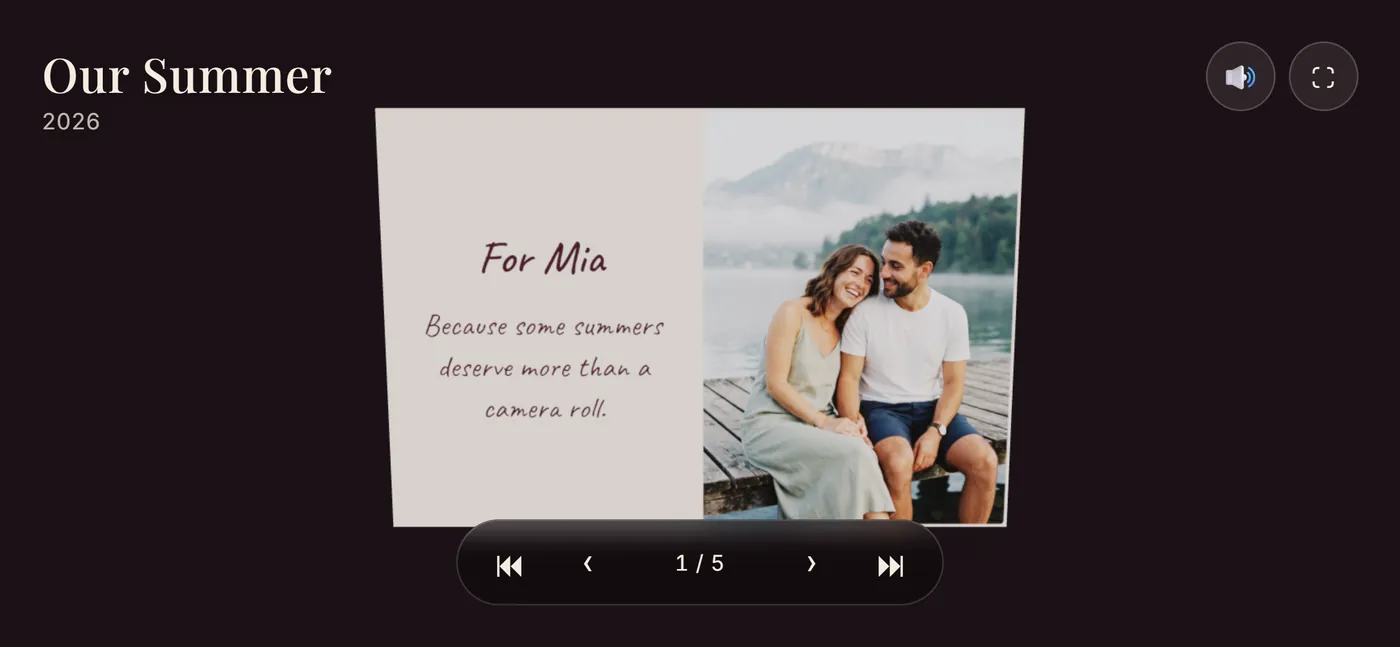
A photo book gift with their photos and their videos
Leafthrough turns your photos and videos of someone into a book whose pages turn in any browser. You can send it to them as one link on the day, and print it at home as a booklet they can hold. Here are ideas for what to put in it, by occasion, and how to give it.
Free to make. No account needed to start.
Gift ideas by occasion
An anniversary
Tell the story of the two of you in order: the first photo you have together, the trips, the ordinary days in between. Give the video of a day you both remember its own page, so it starts playing when they turn to it. Use the dedication for the date it all began.
For a girlfriend or boyfriend
Fill it with the things only the two of you know: the joke in the dedication, the place you always go back to, the song you can hear in a video once you turn its sound on. If the book is only for them, give it a password: a date or a word that means something to you both.
Long distance
Send it when you cannot be there. The link opens on their phone with nothing to install. Give the chapter about your last visit its own scene, like fairy lights or a night sky, and end on a video of the two of you.
A birthday
Ask friends and family for one photo or a short video each, and give every person their own page. Or make it a year in review, with a page for every month.
A wedding or an engagement
A book for the couple from the people who were there: the day in order, with the first dance and the speeches as videos on their pages. Print a booklet for each set of parents.
A new baby or a first year
One page for each month, with the first smile and the first steps as videos that play by themselves. Grandparents who live far away get the link, and nobody needs an account to open it.
Mother's Day or Father's Day
Put old photos next to new ones: take pictures of a few prints from the family album and pair each one with a recent photo. End with a video message from the children or grandchildren.
In memory of someone
Collect photos and videos from everyone who knew them. In the videos you can keep their voice, with the sound on, and the book can stay private behind a password for the family.
How to give it
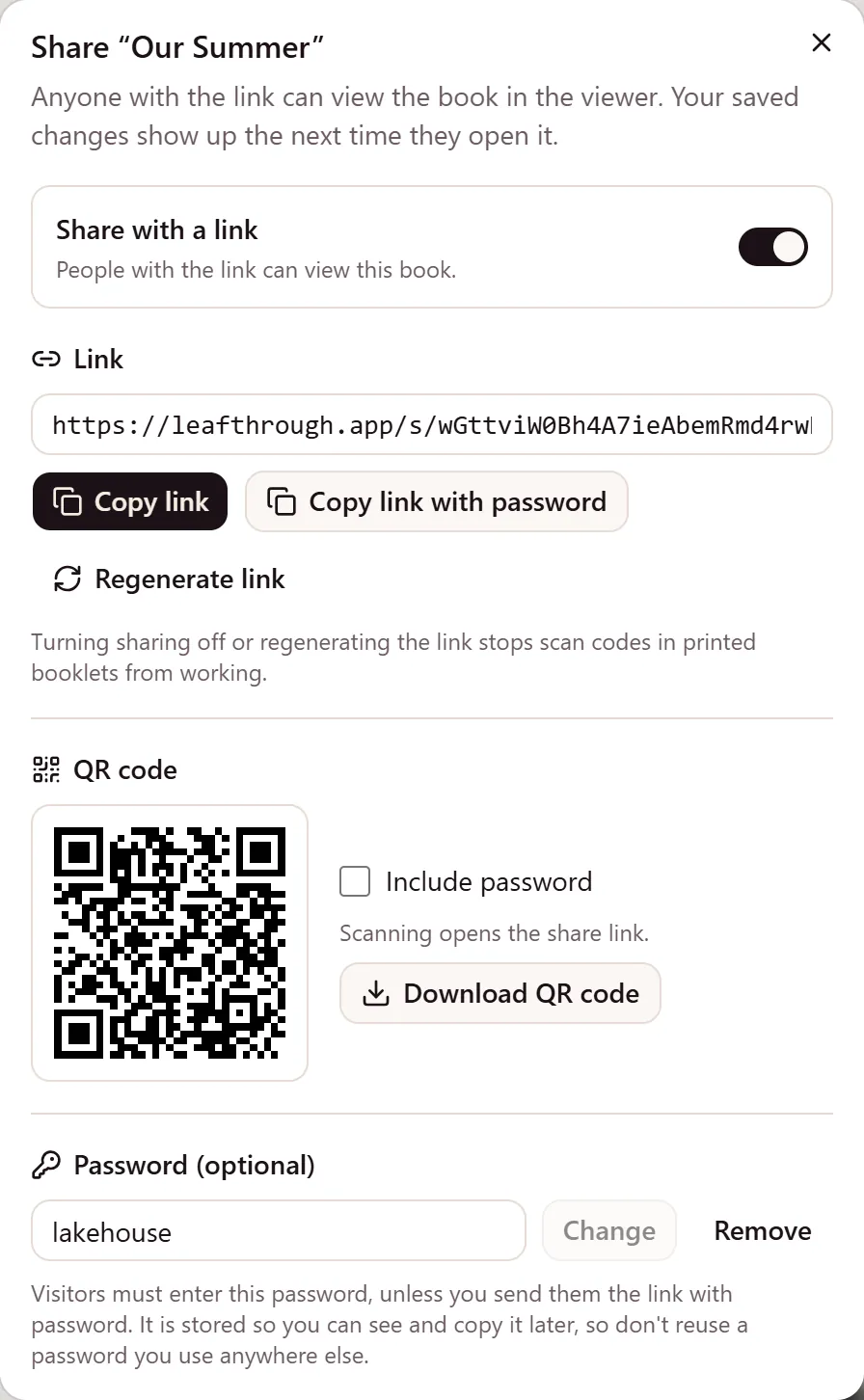
- Send the link on the day. It opens in any browser, on a phone or a computer, and they need no account. Giving it in person? Show them the link's QR code.
- Keep the surprise. A book can only be opened through its link, and there is no link until you turn sharing on.
- Keep it private. A password of 4 to 128 characters is asked before the book opens. You can also copy a link that already contains it, so they never have to type it.
- Print it for them to hold. Export a stapled booklet in A5, A6 or A7 on A4 or US Letter paper, then fold it, staple it and wrap it. Once the book is unlocked, a QR code on the cover opens the live book again, videos and all.
How to make one
- Start without an account. Add up to 10 photos and try layouts before you decide. A book you never save stays in that browser and is deleted after 30 days.
- Save it to an account with Google or a sign-in link sent to your email. Then you can add videos of up to 500 MB each.
- Lay out every page. Pick a layout, frame each photo, and write the dedication.
- Set the scenes. Give each part of the book its own scene: golden hour, rain, snow, fairy lights or a night sky.
- Choose the sound. Each video plays quietly on a loop when its page opens, and you decide which ones have sound.
- Share it or print it, or both.
What it costs
Making, editing and previewing are free. Unlocking a book is one payment, and you choose the amount: from $5, with $8 suggested, plus VAT or sales tax where it applies.
For a gift, unlock it. A free book's link stays open for 10 days after you first share it, while an unlocked book's link keeps working as long as the book exists. Unlocking also takes the Leafthrough mark off its exports and lets you put QR codes on the cover and on video pages.
Compared with a printed photo book
A printed photo book is something you order and wait for. A Leafthrough book is a link first: it reaches them on the day wherever they are, its videos play on the page, and the booklet comes out of your own printer, with no print shop in between.
Start their book
It is free to make, and you can start without an account. Want to know more about the videos first? See how videos work on the page.